
SOCIAL VIDEOS. SAVED YOUR WAY.
SuperDLSuper Download.
Social videos.
Straight to Photos.
Save videos from X, Bluesky, and supported Mastodon servers.
Try a link in your browser, or keep SuperDL in your iPhone share sheet.
Free to use. Save videos you own or have permission to download.
- 1
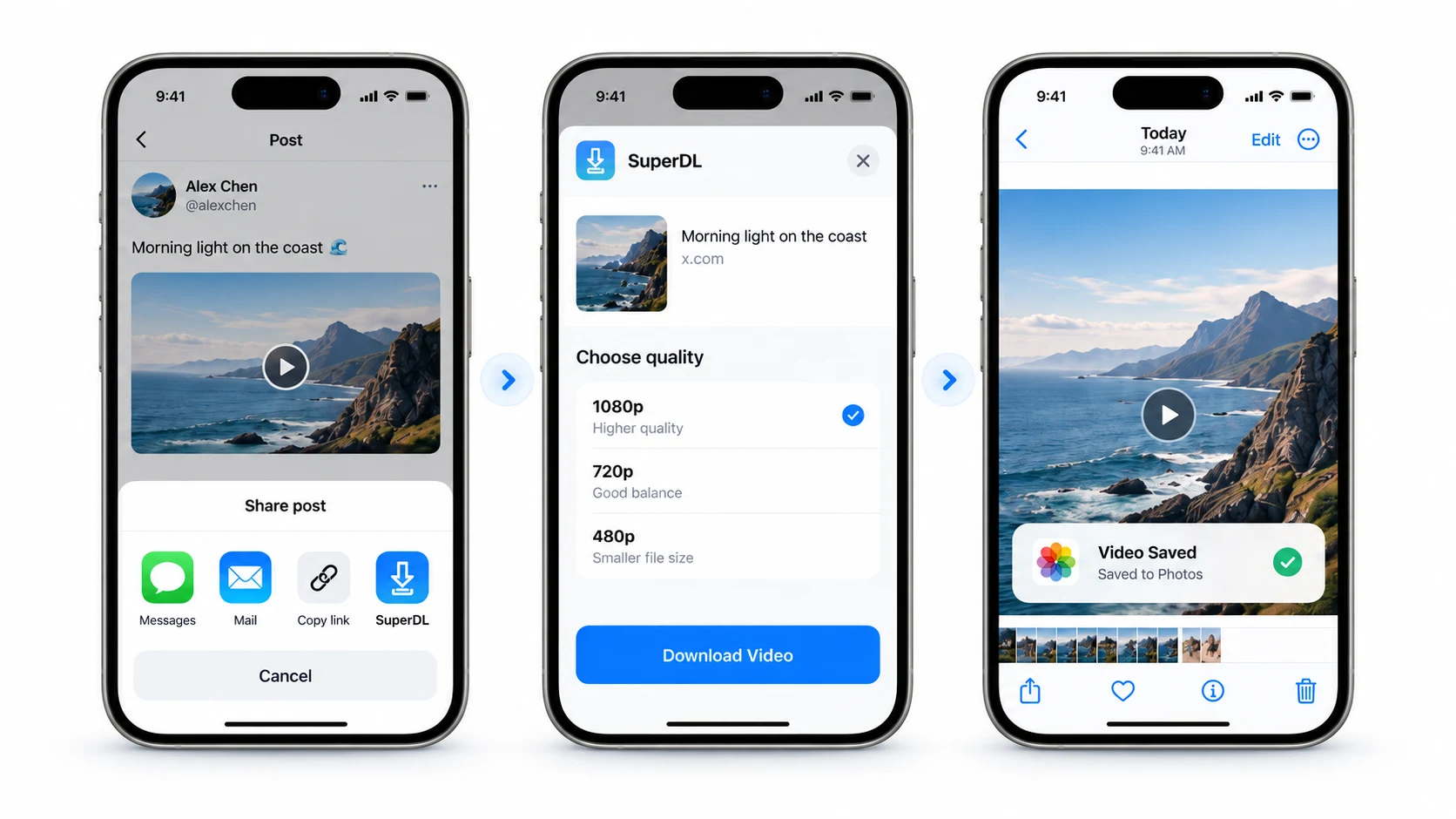
Share a post
Tap Share and choose SuperDL from the share sheet.
- 2
Choose quality
Pick the available video quality that works for you.
- 3
Saved to Photos
Keep the video in your library, ready to watch again.
WORKS WITH YOUR FAVORITE PLATFORMS


TRY SUPER DOWNLOAD
A link is all
you need.
Paste a public video post from X, Bluesky, or a supported Mastodon server. Choose a media link and save it from your browser.
Looking for the X video downloader?Public posts from X, Bluesky, mastodon.social, fosstodon.org, and mstdn.social. Open a result to save the video from your browser.
A CLEAR PATH TO YOUR DEVICE
Your videos stay with you.
SuperDL finds the media link. Your device downloads the video directly from its host; SuperDL does not keep a copy. No social-account login is needed for supported public posts.
How SuperDL works →SUPER DOWNLOAD. SIMPLE AS THAT.
A little Shortcut.
A library full of favorites.
Add SuperDL once. Then find it in your share sheet
whenever there’s a video you want to keep.
A few things to know.
What is SuperDL?
SuperDL stands for Super Download. It’s a free Apple Shortcut that saves supported public videos to your iPhone’s Photos library.
Do I need to install another app?
SuperDL runs in Apple’s Shortcuts app. Add the Shortcut, then open a supported post and choose SuperDL from the share sheet. You can also try a public video link in the web tool on this page.
Can I save every video?
Only supported public videos can be resolved. Private or deleted posts, unavailable media, and platform changes can prevent a download. Save only content you own or have permission to download.
SUPERDL GUIDES